

Integrations
Connect the platform to the receipts and systems you already run
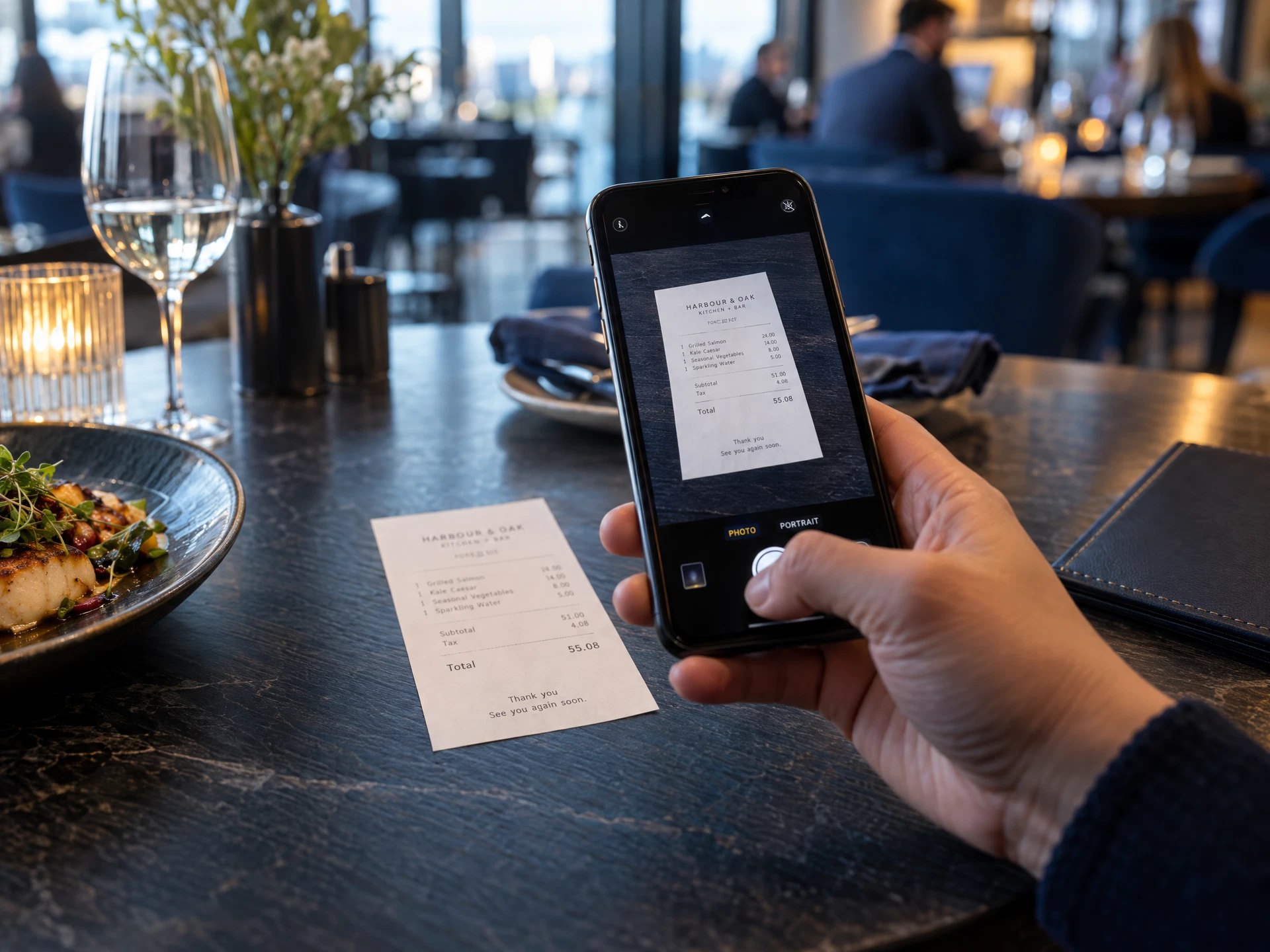
The receipt scanner reads the visit for you
- The response is tied to a real location and a real transaction, not just to a link someone shared.
- The spend and the items described in the survey are checked against the receipt or the ticket.
- The visit window is confirmed against the transaction time, so an off-peak response cannot pass as a rush visit.
| Read from the receipt | What it gives you |
|---|---|
| Location | Store address, store number and telephone number printed on the receipt, matched against your location list. |
| Transaction | Check number, date and time, plus the server or order reference where the receipt prints one. |
| Amounts | Subtotal, tax, tip and total, checked against the spend the response claims. |
| Items | Item lines, so a response that describes what was ordered can be compared with what was sold. |
| Evidence | The original image stays attached to the response for your reviewer, whatever the scanner reads. |
The scanner is photograph-based, so it works with thermal prints, handwritten check numbers and receipts from any system — including locations where you cannot install anything.
Or connect a point-of-sale system
Clover
Merchant locations, check-level detail and payment totals for locations running Clover.
Toast
Orders and check totals, matched to a response by location, visit time and amount.
Square
Locations, orders and itemised tickets across every Square account in your estate.
Lightspeed
Site list, tickets and item lines for restaurant locations running Lightspeed.
Oracle MICROS
Check detail and site configuration for large estates, through the export or your middleware.
Everything else
Any system that can export a transaction file can be connected through a scheduled import, with no custom development on our side.
Scope confirmed first. We agree the exact fields and the matching rules for your configuration in writing before your team connects anything.
Tested before it counts. One live response is matched and checked with you, and only then does automatic verification go on.
What a verified response proves
- The response is tied to a real location and a real transaction, not just to a link someone shared.
- The spend and the items described in the survey are checked against the receipt or the ticket.
- The visit window is confirmed against the transaction time, so an off-peak response cannot pass as a rush visit.
- One transaction can only be claimed once, so the same receipt cannot carry two responses.
- Anything that does not reconcile is flagged for your reviewer instead of being scored as fact.
- The receipt image or transaction reference stays in the audit trail alongside the response.
Live in three steps
- 01
Choose the verification method
Scanner only, scanner plus point of sale, or point of sale only. Most programs start with the scanner because it asks nothing of your IT team.
- 02
Point the platform at the source
Share your location list, and for a point-of-sale connection give your developer the API credentials and documentation. Sandbox access comes first, so nothing touches live data while you test.
- 03
Verify with one response
Complete a live survey, check that the match is correct, then switch on automatic verification. Every method can be changed later without rebuilding the survey.
The four things clients ask before connecting
Do we need a developer to use the receipt scanner?
No. The scanner works from the receipt image inside the response itself. Nothing is connected, no keys are exchanged and no IT project is needed, so a program can be reading receipts the day it launches.
Which point-of-sale systems are supported today?
Clover, Toast, Square, Lightspeed and Oracle MICROS are supported now, and we add systems as clients ask for them. Any system that can export a transaction file can also be connected through a scheduled import.
What happens when a receipt cannot be read?
The response is not rejected. Fields the scanner is not confident about are marked for review, and your reviewer can correct them or query the response. The image stays attached, so every decision can be traced back to what was submitted.
What transaction data can GuestSignals see?
Only the fields needed to verify a response: location, visit time, check number, items and amounts. We do not take customer names, card data or your wider sales reporting, and we never resell what we read.
Next step
Verify every response with the receipt you already print.
Bring a recent receipt to the demo and we will show you exactly what the scanner reads from it — or walk your developer through the point-of-sale APIs instead.
Or email hello@guestsignals.com. We reply to every enquiry within one business day.